Sharing finds publicly and the community feed
How to share a find publicly on DetectID — what becomes public, how the location precision is honoured, attribution options, and how to unshare.
By default your finds are private. Sharing a find publicly is an explicit per-find action that puts it onto the community discovery feed and your public profile — with the location precision you originally chose, never sharpened. Here’s how it works end-to-end.
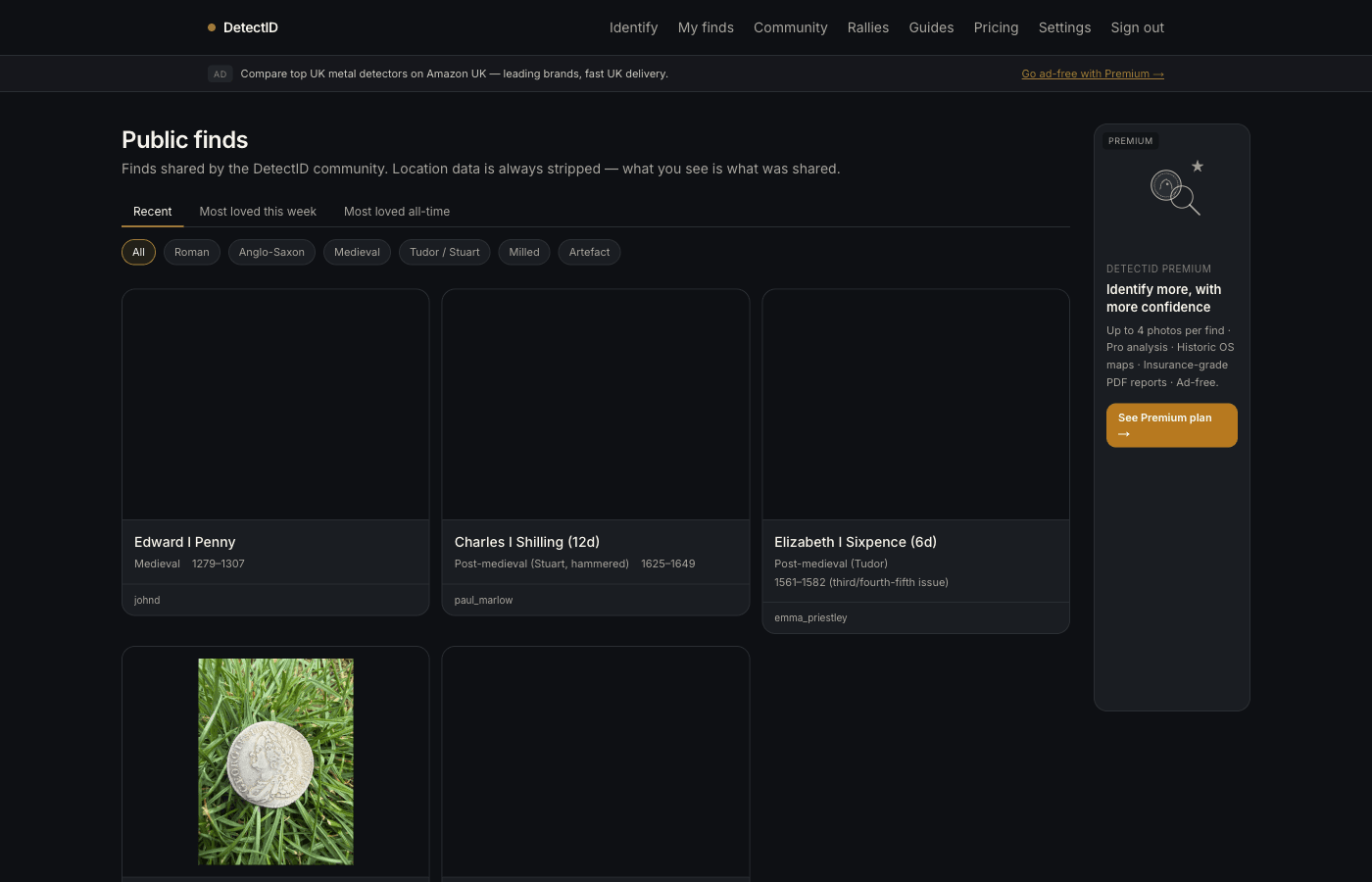
Where shared finds show up
A find marked public appears in three places:
- The discovery feed at /finds/public— the chronological stream of all public finds across DetectID. Other detectorists, including anonymous browsers, can scroll, filter by period, and heart your finds.
- Your public profile at
/u/your-username— the gallery of your shared finds, accessible to anyone who knows your username. - The homepage— the “This week in the ground” row pulls from recent public finds.
Importantly: shared finds onlyappear in those places. Your private collection, your detecting sessions, your stats dashboard — all still private.
How to share a find
- Open the find’s detail page (from your collection at /finds, or directly after an identification).
- Find the Share controls section at the bottom.
- Toggle Make this find public.
- Pick an attribution: your username, or anonymous.
- Optionally add a public note (e.g. “Found in a stubble field after a heavy rain pass”) — this appears alongside the identification on the public page.
- Confirm.
The find appears in the discovery feed within seconds. You can unshare at any time — the toggle is reversible.
What gets shared, what stays private
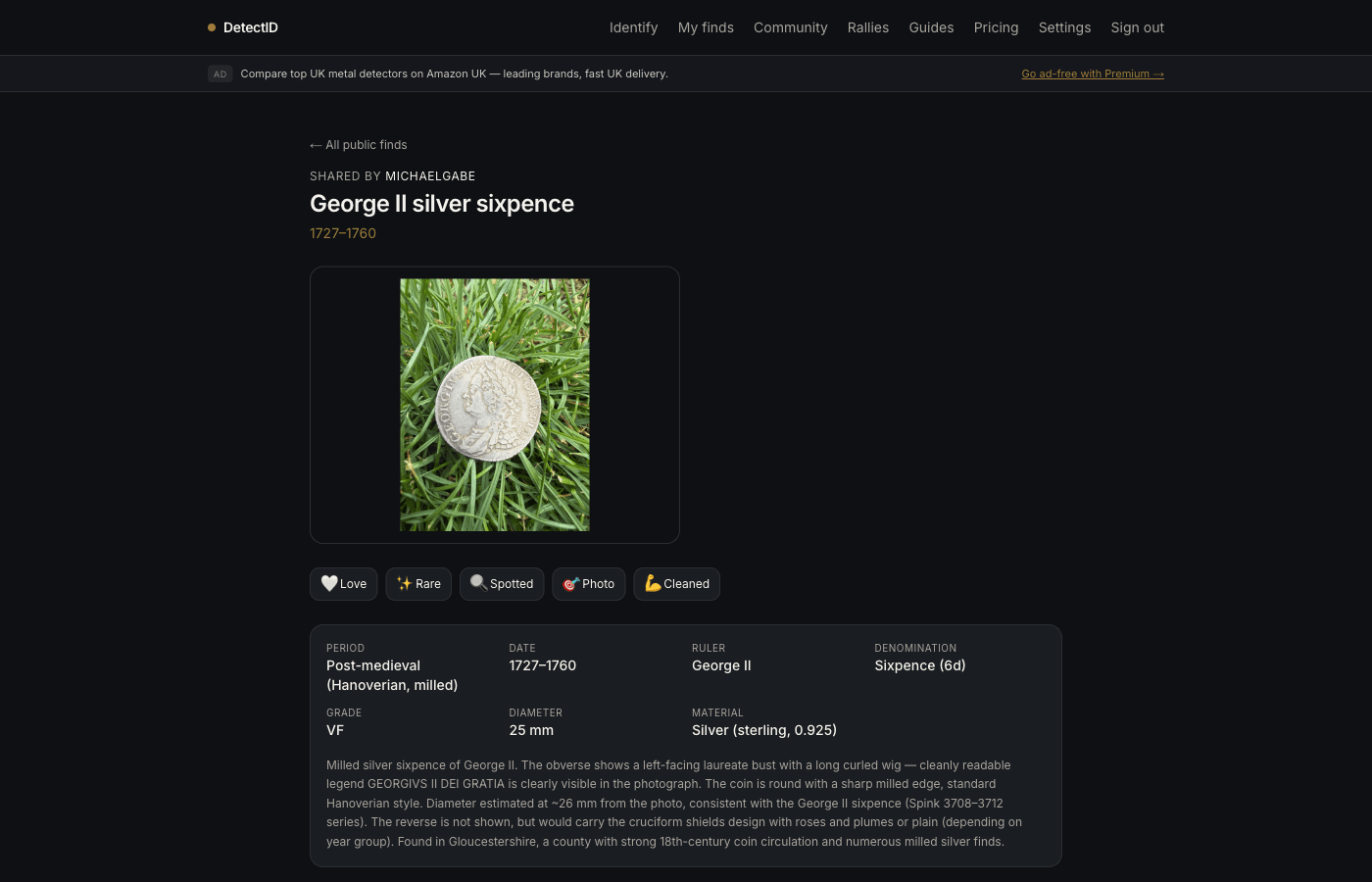
Public means:
- The photo(s) you uploaded.
- The identification verdict (top candidate, alternatives, reasoning chain).
- The predicted grade.
- Treasure Act flag if relevant.
- The find’s period and date range.
- Your username (or “Anonymous detectorist” if you chose anonymous).
- The location at your chosen precision — never sharpened. 1 km grid stays 1 km grid.
- Hearts and comments from other users.
Private (stays yours, never shared):
- Your exact GPS coordinates if you set the precision to anything other than “exact” — we strip them to the chosen grid.
- Your detecting session labels.
- Your private notes (the one you wrote at upload time is private; only the public note you add when sharing appears publicly).
- Your weight, diameter, detector brand if you marked them as private.
- Your collection statistics.
Attribution
When you share, you choose how to be credited:
- Your public username— appears with the find. Other detectorists can click through to your profile. Default for most users.
- Anonymous detectorist— the find appears with no name. Use when you want to share an interesting find but don’t want it traced back to you.
Your public username is set in Settings → Profile. Pick something memorable — usernames are unique. Many detectorists use a handle that matches their Facebook or club identity.
Hearts and comments
Other detectorists can heart your shared finds (a soft appreciation gesture — no inbox notification storm) and leave a comment. Comments are moderated to keep the space constructive; you can hide or report any comment from the find’s detail page.
Find of the Week
Public finds are eligible for Find of the Week — the editorial pick that appears on the homepage every Monday. We don’t accept submissions; the team browses recently-shared public finds and chooses one each week. Sharing a particularly nice find publicly is the only way to be considered.
Unsharing
Change your mind? Toggle off the Make this find publicswitch on the find’s detail page. The find disappears from the discovery feed, your public profile, and any homepage strips within a minute. Comments and hearts are retained for your records but are no longer publicly visible.
Reporting inappropriate content
Every public find has a small report flag. Use it for:
- Finds you suspect are stolen (we cooperate with police if requested).
- Finds that look like they were dug without permission — e.g. clearly on a protected site.
- Misleading identifications used to inflate a value.
- Off-topic or abusive comments.
Reports go to the admin moderation queue. We don’t share who reported what.
Privacy reminder
Sharing is opt-in, per find, reversible. We will never auto-share anything you upload. Your detecting record is yours.
Next steps
- If location privacy is what worries you: Privacy and location precision covers it in detail.
- Building your public presence: Using the maps and pins.
Try DetectID on a real find
Upload a photo and we’ll return a calibrated shortlist with period, denomination, ruler and full reasoning chain.
Identify a find