Understanding your identification result
Reading the DetectID result page — top candidate, confidence levels, reasoning chain, alternatives, predicted grade, Treasure Act flag, and what to do if you disagree.
The result page after an identification can look dense the first time. Here’s every section explained, what each value means, and how to read the engine’s confidence so you can decide when to trust the verdict and when to push back.
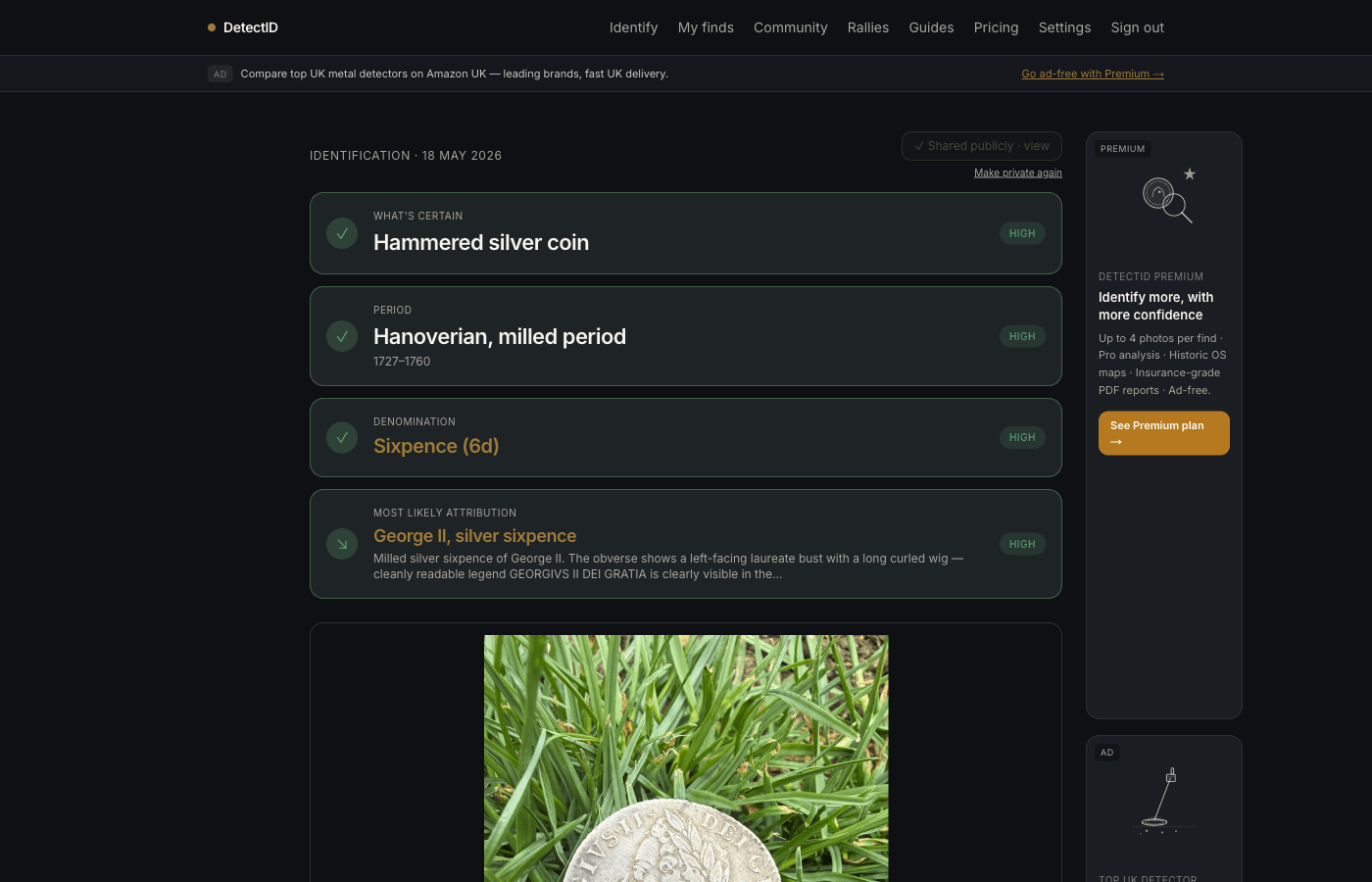
The top of the page
The headline area shows what the engine thinks your find is. From top to bottom you’ll see:
- Title. A short human-readable summary, e.g. “Edward I long-cross penny”.
- Period and date range. The historical bucket and the specific years, e.g. “Medieval (Plantagenet), 1279–1307”.
- Denomination + ruler. “Penny (1d)”, “Edward I”.
- Confidence pill. “High confidence” or “Medium confidence” — explained below.
- Blurb. A short paragraph explaining the call in plain English.
Confidence levels
DetectID reports two confidence levels, deliberately limited so the signal is meaningful:
High confidence
The diagnostic features the engine relies on are clearly visible, the measurements (if you supplied them) fall in a clean envelope, and there are no equally plausible alternatives. You can act on a high-confidence verdict — logging the find to your collection, sharing it publicly, mentioning it in a write-up.
Medium confidence
The call is consistent with everything visible but at least one diagnostic feature is unclear (worn legend, missing edge, partial flan, awkward angle) and an alternative remains in play. Read the reasoning chain to see what would tip it — usually a better photo of a specific feature, or a weight measurement.
The reasoning chain
Below the headline you’ll find a numbered list of diagnostic steps — the same five-or-six checkpoints a Finds Liaison Officer would walk through:
- Broad-category triage.Material, rough module, weight envelope. Places the find in a coarse bucket (“medieval English silver penny”, “late Roman AE3/AE4”).
- Portrait or motif fingerprint.The bust style, crown type, reverse design — the iconography that pins it to a specific reign or coinage period.
- Period boundary. Ruling out the reigns either side. This is where weight and module measurements pay off.
- Ruler attribution.The specific monarch or authority. For immobilised-legend coinages (Henry II Tealby, Short Cross 1180–1247, baronial issues) this step will explicitly say the ruler is indeterminate by legend alone.
- Class or sub-type.Where possible — mint mark, initial mark, lettering style. Not always achievable on worn finds, in which case the chain says so.
Each step lists what the engine read off the photo and what it concluded. If you disagree with the verdict, read this section first — the disagreement is usually traceable to one specific step.
Alternatives
Up to a few alternative candidates are shown below the top candidate. Each carries its own confidence and blurb.
For worn or partial finds, alternatives matter. The top candidate is the engine’s best call given what it can see; the alternatives are the other plausible identities. When the find is close-but-not-quite to a known type (e.g. an Edward II penny struck on Edward I dies), the alternatives often surface the actual answer.
Predicted grade
DetectID grades on the standard UK numismatic scale:
- P — Poor. Outline only.
- Fr — Fair. Major features visible.
- AG — About Good.
- G — Good. Legend partially readable.
- VG — Very Good.
- F — Fine. Standard detectorist find.
- VF — Very Fine. Better than typical detector finds.
- EF — Extra Fine. Sharp detail throughout.
- AU — About Uncirculated.
- UNC — Uncirculated.
Grades reflect what’s visible to the engine. A coin pulled from the ground that hasn’t been cleaned can grade lower than it’s capable of once you’ve carefully removed soil without damaging the surface. Re-identify after a careful clean to get a revised grade.
The Treasure Act flag
If the engine thinks the find maymeet the Treasure Act 1996 criteria, you’ll see a flagged callout near the bottom of the result page. This is a suggestion, not a directive.
A single silver coin found alone is notautomatically Treasure under the Act. The flag goes up when the find pattern suggests it might be (precious-metal artefacts, items 300+ years old in a group, certain object classes). The result page will tell you why it was flagged and link you to the right next step — usually contacting your local Finds Liaison Officer via the Portable Antiquities Scheme.
Save, share, or upload another
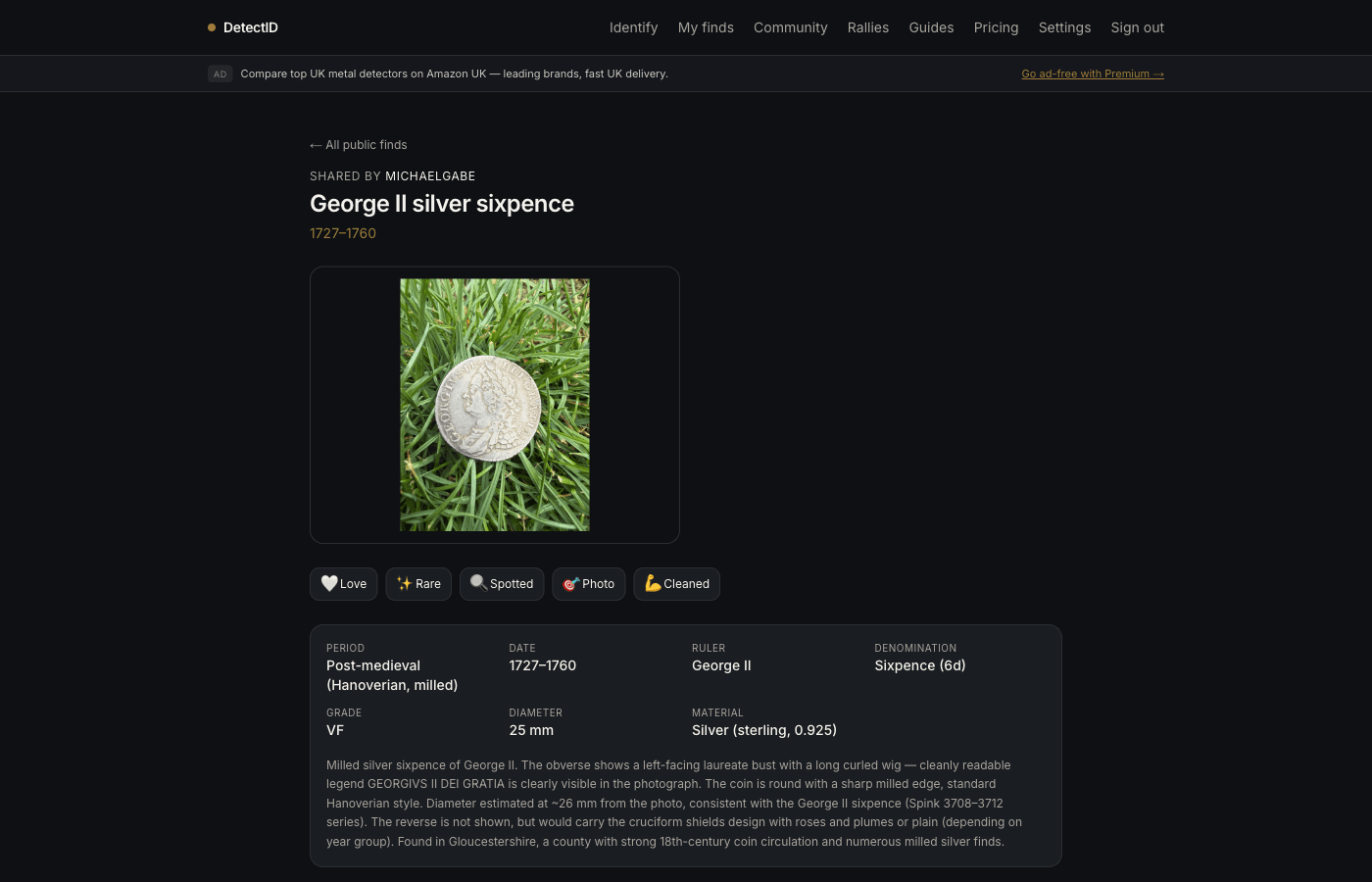
At the bottom of the result you’ll find action buttons:
- Save to collection— appears for Basic and Premium. Adds the find to your private collection at /finds. Free plan can’t save; the identification is one-off.
- Share publicly— toggles the find into the/finds/public community feed and onto your public profile. The find’s location precision is honoured — if you set it to 1 km, public viewers see the 1 km grid pin, never the exact coordinates.
- Identify another— back to the upload form. Free quota resets monthly.
What to do if you disagree with the verdict
Three options, in order of effort:
- Check the alternatives. The right answer is often the second-listed candidate.
- Read the reasoning chainstep by step. Find where the engine has misread a feature — it’s usually one step.
- Re-identify with a better photo, a weight measurement, or a region hint. Each re-run counts as a new identification against your quota, but the better the inputs the better the verdict.
Next steps
- Want better photos next time? Photographing finds for identification.
- Ready to make the find public? Sharing finds publicly and the community feed.
- Treasure-flagged? finds.org.uk is the right next step.
Try DetectID on a real find
Upload a photo and we’ll return a calibrated shortlist with period, denomination, ruler and full reasoning chain.
Identify a find