Building your public profile on DetectID
Set up a public profile, pick a durable username, write a useful bio, share your best finds, and earn the Rally Captain badge — without giving up privacy.
Your public profile on DetectID is at app.detectid.co.uk/u/your-username. It’s where the finds you’ve marked public live, where a Rally Captain badge appears if you’ve earned one, and how other detectorists in the community can find you. This is how to set one up properly.
Why have a public profile?
You don’t have to. Plenty of detectorists use DetectID for identification and a private collection only, never share a find, never set a public username. That’s a valid way to use the platform.
The case for setting one up:
- Find recognition.Public profiles are linked from public finds — other detectorists can click your name and see what else you’ve shared.
- Find of the Week eligibility. A public find can become FOTW. Attribution to your username makes that recognition meaningful.
- Rally Captain badge.If you’ve qualified for Rally Captain, the badge sits on your public profile where attendees can see it.
- Community. Detectorists looking at a well-photographed Edward I penny on the public feed and seeing a profile with twenty more like it can DM you, follow your club, send a permission lead.
Step 1 — Pick a public username
Go to Settings → Profileand look for the “Public username” field. Usernames are:
- Unique across DetectID — no two users share one.
- Lower-case alphanumeric + hyphens. No spaces.
- 3–30 characters.
- Visible everywhere your public finds appear.
Conventions that work well:
- Real name or a near-handle. “tom-hartley”, “emma-priestley”.
- A detecting nickname. “mudlark”, “hammered-hunter”, “clodbusters”.
- Your club or initials. “wessexmd”, “jb-detecting”.
Step 2 — Write a bio
The bio is a short paragraph that appears on your public profile, up to 200 characters. Things that work:
- Where you detect (general region, not specifics).
- How long you’ve been at it.
- What you specialise in or are interested in.
- Your detector if you’re proud of it.
Example: “Detecting around East Anglia since 2018. Mostly Tudor and earlier hammered silver. Slow and methodical — if a field looks tired I leave it alone for a season and come back.”
Avoid: phone numbers, specific permission names, anything you wouldn’t want indexed by Google.
Step 3 — Share some finds publicly
An empty public profile looks like a placeholder. Share at least three or four finds publicly to give it shape. See thesharing finds walkthroughfor the per-find toggle.
Quality over quantity. A profile with four well-photographed hammered silver finds looks better than one with thirty modern copper buttons.
Step 4 — The Rally Captain badge
If you run a rally with 10+ attendees and 20+ finds, you automatically receive the ★ Rally Captainbadge for three months, plus Premium-equivalent access. The badge appears on your public profile and beside your name on any public find.
Running multiple qualifying rallies extends the clock cumulatively — two rallies a year keeps you permanently as Captain.
You don’t need to do anything to claim the badge; it appears automatically when the rally end-summary cron runs.
What appears on your public profile
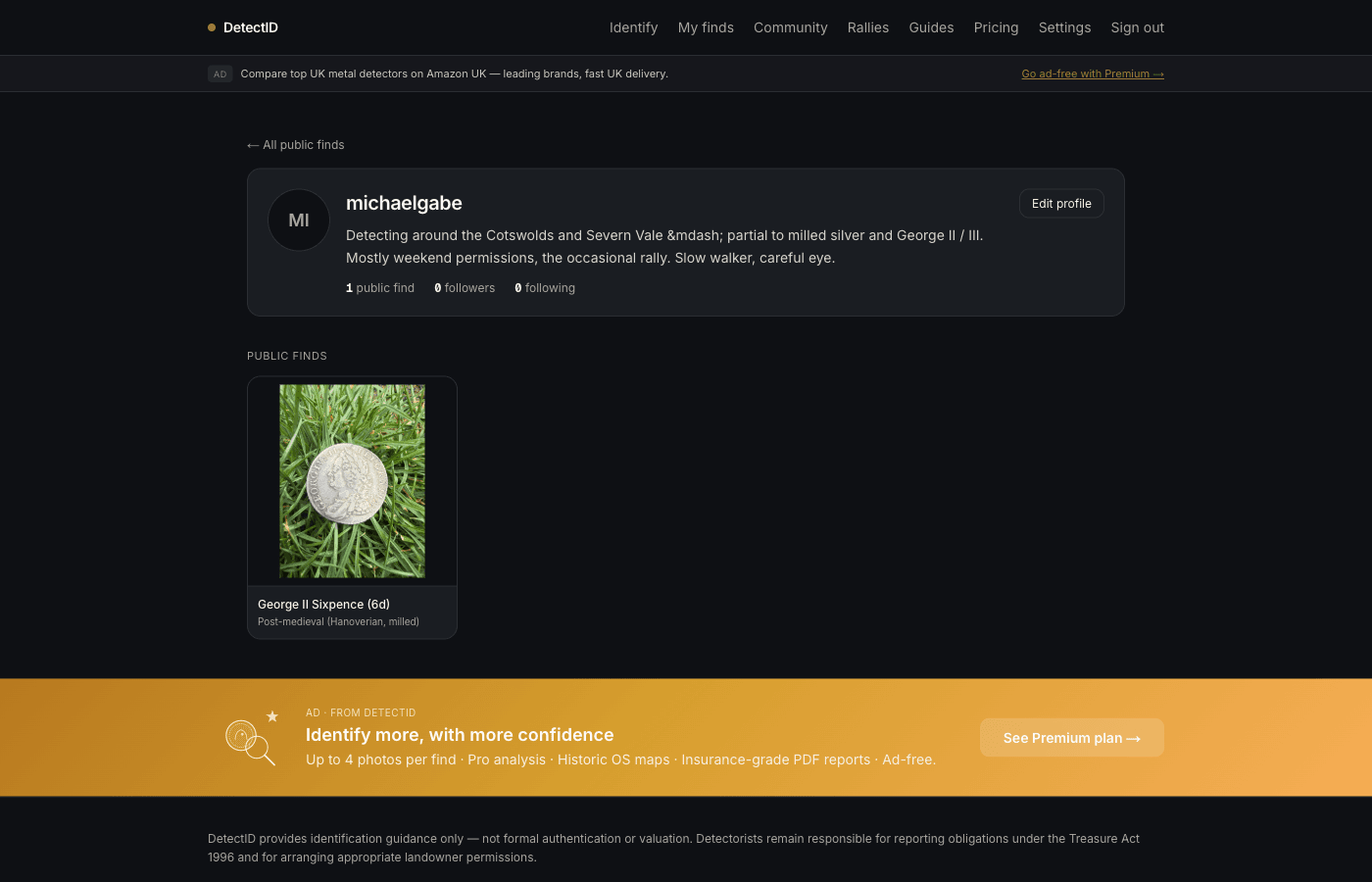
Visit your own profile at /u/your-usernameto see it the way the public does. You’ll see:
- Your username and (if active) the Rally Captain badge.
- Your bio.
- Total public finds count.
- A chronological feed of your public finds with photos.
- A subtle “detecting since” date if you’ve been on the platform a while.
What does NOT appear:
- Your email address.
- Your private collection.
- Your detecting sessions.
- Your private notes or stats.
- Your detector brand / model (unless visible on a specific public find that surfaces it).
Going private later
Two ways to dial back:
- Unshare all finds. Toggle off public on each find. Your profile stays at the URL but the gallery empties.
- Remove your public username.In Settings, clear the username field. Your profile URL stops resolving; your finds (still public) appear as “Anonymous detectorist” on the discovery feed.
Common questions
Can I have an avatar / profile photo?
Yes. Upload one from Settings → Profile under the “Avatar” section. JPEG, PNG, WebP and HEIC are accepted. If you haven’t uploaded one, your profile uses your initials in a coloured tile.
Can someone follow my profile?
Not yet — follow mechanics are queued for Phase 4. Right now public profiles are linkable but there’s no inbox of followers. We’d rather get follows right (notifications, privacy, blocking) than ship a half-version.
Will my profile appear in Google search?
Public profiles are crawlable. If you’d rather not be in search, either don’t set a public username, or check that your username isn’t identifiable to your offline identity.
How is moderation handled?
Reports on public finds and comments go to a moderation queue reviewed by the admin team. We won’t take down a find because someone disagrees with the identification — moderation focuses on inappropriate content, suspected stolen goods, and content that violates detecting permission norms.
Worked example
Here’s the rough state of a well-set-up public profile:
- Username:
tom-hartley - Bio: “Detecting around Lincolnshire farmland since 2019. Member of a small local club. Big into Late-Roman bronze and Iron Age Celtic.”
- Six public finds, all well-photographed, mostly Roman bronze.
- No Rally Captain badge (yet).
Someone landing on this profile from the public feed instantly gets a clear picture: a specific person, a specific area, a specific specialism. That’s the goal.
Next steps
- Decide what to share: Sharing finds publicly.
- Want the Rally Captain badge? Running a rally as the organiser.
- Profile privacy boundaries: Privacy and location precision.
Try DetectID on a real find
Upload a photo and we’ll return a calibrated shortlist with period, denomination, ruler and full reasoning chain.
Identify a find